
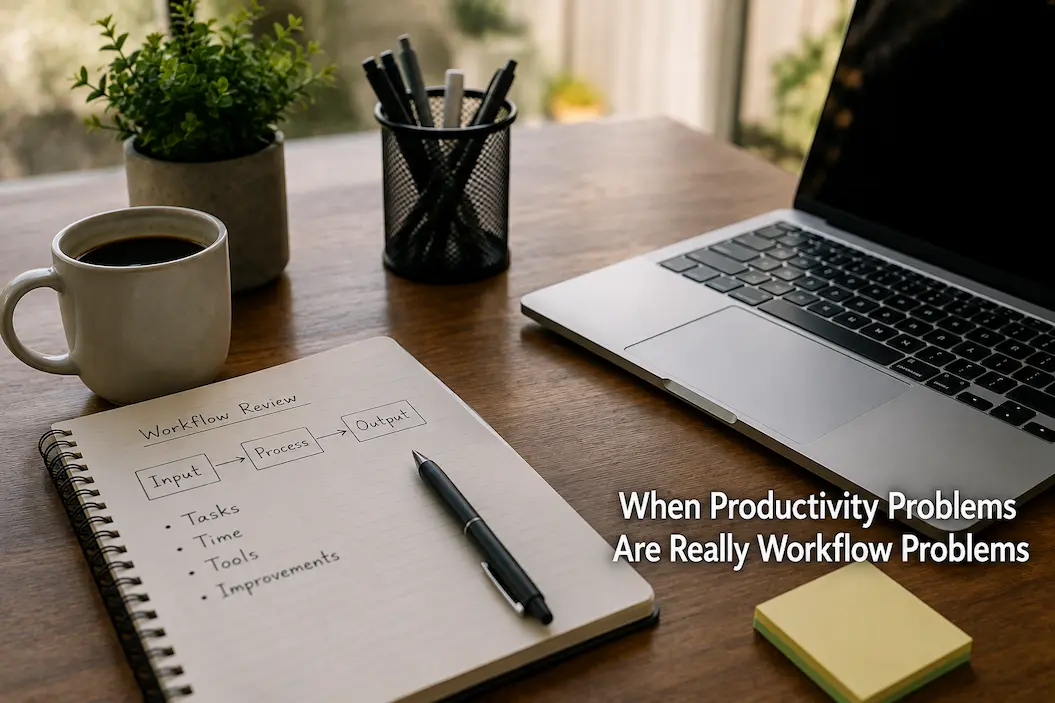
The first excuse for something taking too long is usually that we aren’t working hard enough. We blame distractions, a lack of discipline, a lack of focus, or a lack of motivation. Sometimes that is true. But there is another, often overlooked possibility: the work itself might be poorly organized. Sometimes the task itself is simple, but the process is unnecessarily complex. You might start with the wrong process, repeatedly search for the same file, switch between irrelevant tasks, make decisions that could have been made all at once, or constantly fix problems from an earlier stage of the process. In this case, striving for greater efficiency might not be the real goal. A better solution might be to redesign the entire workflow.
I consider this distinction useful because it shifts the question from “How can I do this faster?” to “Why does this task require so much effort in the first place?” This second question often reveals problems that motivation alone cannot solve. If a task involves seven unnecessary steps, you cannot eliminate them simply by having more discipline. If every interruption forces you to start over from scratch, increased focus won’t solve the workflow problem. Research into task switching shows that it entails measurable costs, and the more complex and unfamiliar the task, the higher those switching costs tend to be. A person’s productivity does not always depend on speed, but rather on minimizing unnecessary tasks within the process.
A Busy Day Can Still Contain A Bad Workflow
A packed schedule does not necessarily imply an efficient underlying workflow. You can work for eight hours and feel as though you have achieved almost nothing, because most of the day was spent preparing, dealing with interruptions, searching, switching tasks, checking work, and redoing things. This is particularly true for digital work, where information is often scattered across emails, chats, cloud storage, browsers, documents, spreadsheets, and task management apps. Each tool may be valuable in its own right, but switching between them creates extra work that is easily overlooked. At the end of the day, you remember being busy, but you cannot pinpoint exactly where the time went. The first useful step, therefore, is to observe the path an activity takes, rather than evaluating the person performing it. What exactly happens from the moment you start a repetitive task until you finish it? Consider those often-overlooked details: searching for files, reading old emails, opening other programs, copying content between documents, or thinking about the next step. This kind of breakdown is often more compelling than efficiency tests. A seemingly simple process—described merely as “preparing a report”—can actually involve twenty different steps, multiple repetitive decisions, and countless interruptions. Once these steps become clear, we can start to question certain processes.
Friction Is Hidden in Daily Tasks
Workflow friction is rarely a single, major issue. It usually manifests as recurring minor annoyances. You cannot find the latest version of a document, so you search through folders. You need to retrieve information from an old email, so you pause your work to check your inbox. You open a webpage, remember another task, answer a message, and then return to the original task—only to forget where you left off. On their own, these small incidents might seem insignificant. However, if they occur repeatedly throughout the day, they turn daily work into a series of ‘corrective’ actions. The core task itself isn’t difficult, but the surrounding process is riddled with distractions and decisions, causing it to take longer.
An effective way to identify this is to ask yourself: “Where does the work get stuck?” Perhaps the task is waiting on information from the same source. Perhaps you find yourself repeatedly creating the same document structure. Perhaps files arrive in various ways and require manual integration. Perhaps every activity begins with ten minutes spent deciding what to do next. These are challenges within the workflow framework. Once identified, they can usually be minimized through better organization, templates, standardized locations, simplified handovers, or straightforward rules. You aren’t squeezing more energy out of yourself; you are eliminating work that adds no value.
The Cost of Task Switching
Unnecessary task switching is one of the most overlooked issues in work processes. People often claim to multitask, but in reality, they are simply switching back and forth between different tasks. Research by the American Psychological Association shows that the time required for task switching increases as a task becomes more complex or unfamiliar. This is crucial because digital work makes task switching incredibly easy. Notifications, replying to messages, reading emails, opening browser tabs—the original task can be interrupted multiple times in a short period.
The hidden costs go far beyond the interruption itself. To return to the original task, you may need to recall previous thoughts, facts you had considered, and plans for the next step. In studies on interruptions, researchers have quantified the time needed to resume the main task after an interruption. These studies show that returning to the previous activity does not happen instantly. Consequently, even brief interruptions can be stressful when the workflow is constantly punctuated by notifications and other disruptions. By reducing unnecessary switching, you can achieve more without being forced to work faster.
The Best Workflow Often Removes Decisions
Decision-making is another source of hidden friction. Consider a task you perform every week. If you begin by deciding which template to use, where the files should go, what information you need, who should be contacted, and what order the steps should follow, you are repeating decisions that could potentially have been settled once. A well-designed workflow does not remove judgment completely. It simply prevents you from spending mental energy on predictable questions over and over again.
This is where small defaults become valuable. Keep recurring files in a predictable location. Use one naming convention. Start common tasks from a consistent template. Decide in advance which information belongs in a particular document. Write down the next step before ending a work session on something unfinished. None of these changes is exciting, but that is precisely why they work quietly. A workflow should make routine decisions boring. When you no longer have to reconsider the same basic choices every time, more attention remains available for the part of the task that actually requires thinking.
When Tools Become Part Of The Problem
Adding another tool is an instinctive response when work feels inefficient. A task-management application promises better organization. A note-taking platform promises better knowledge management. A new calendar promises better planning. Sometimes these tools genuinely solve problems. But a tool can also add another layer to a workflow that was already too complicated. If one task now requires checking email, updating a project board, copying information into a notes application, changing a calendar entry, and then updating a spreadsheet, you may have created more administration rather than more productivity.
The useful question is not whether a tool is good. It is whether the tool removes more work than it creates. Before adding something new, look at the workflow it will sit inside. Does it eliminate a repeated step? Does it prevent information from being lost? Does it reduce decisions? Does it make an important handoff easier? Or does it simply give you another place to maintain? A good workflow usually needs fewer moving parts than people expect. If you need a tutorial to remember how your own productivity system works, that may be a sign that the system itself needs simplification.
Templates Are Useful When The Work Repeats
Repeated work is one of the easiest places to find workflow improvements. If you create similar documents, emails, spreadsheets, reports, presentations, or checklists regularly, rebuilding the basic structure each time is unnecessary. A template allows you to start with the predictable parts already completed. This is not about removing creativity. It is about separating routine construction from the part that actually changes from one task to another.
A good template should therefore contain only what genuinely repeats. An overly detailed template can become restrictive and create more editing work than it saves. A useful one might simply establish the structure, common headings, naming conventions, or standard information fields. The same principle applies beyond documents. A repeatable sequence for preparing a meeting, processing a request, reviewing an article, or organizing research can prevent small omissions and reduce the need to reinvent the process each time. The objective is not to automate everything. It is to stop spending fresh attention on work that has already been solved.
Finish Points Matter More Than They Seem
Another workflow problem occurs when people stop in the middle of a task without leaving enough information to make restarting easy. This can happen because the workday ends, another responsibility appears, or an interruption forces a change of direction. When you return later, you may need several minutes simply to reconstruct your previous thinking. For complex work, that reconstruction can be surprisingly expensive.
A simple habit is to leave a restart note whenever you stop meaningful unfinished work. It does not need to be a detailed journal. Write what you completed, what remains, and the next concrete action. For example: “Research gathered; draft introduction finished; next step is comparing the two data sources.” That small note gives your future self a starting point. It also allows you to stop at a natural boundary rather than abandoning work in the middle of a thought. Research discussed by the APA similarly emphasizes the value of reducing the difficulty of resuming interrupted work, and experts on attention have noted that stopping at natural breakpoints can make returning easier.
A Better Workflow Is Usually Smaller, Not More Sophisticated
There is a temptation to solve workflow problems by creating a larger system. More categories, more automation, more dashboards, and more tracking can feel like progress because the new system is visible. But complexity has a maintenance cost. Every additional rule has to be remembered. Every additional tool has to be updated. Every additional category creates another decision. A workflow becomes useful when it reduces effort, not when it demonstrates how much effort you were willing to spend designing it.
When I look at a recurring process, I would rather remove one unnecessary step than add three clever ones. Ask whether two stages can become one. Ask whether information can have one reliable home instead of three. Ask whether a recurring decision can become a default. Ask whether an interruption can be delayed until a natural stopping point. These changes are less impressive than a complete productivity framework, but they are often easier to keep. A workflow that is simple enough to become automatic has a practical advantage over one that depends on constant attention.
A Simple Workflow Audit
You do not need specialized software to examine a workflow. Choose one task that you perform regularly and describe what actually happens, from start to finish. Then look for repetition, waiting, searching, switching, and unnecessary decisions. The purpose is not to criticize the current process. It is to understand it. Once the steps are visible, you can decide which ones genuinely contribute to the outcome and which ones are simply inherited habits.
A small audit can use five questions:
- What steps happen every time?
- Where do I repeatedly search for information?
- Where do I switch to another task or application?
- Which decisions could be made once instead of repeatedly?
- What step could disappear without reducing the quality of the result?
You do not need to redesign the entire workflow afterward. Pick one bottleneck and change it. Use the new process several times, then see whether the problem actually improved. That approach is much more reliable than rebuilding everything at once because you can identify which change produced a difference and which one merely looked useful on paper.
Productivity Is Sometimes A Design Problem
There is a useful lesson in all of this: personal productivity is not determined entirely by personal qualities. Discipline, focus, motivation, and skill matter, but they operate inside systems. The structure of a task, the number of interruptions, the location of information, the tools involved, and the number of decisions required all influence how difficult the work feels. Research on multitasking and interruptions supports the idea that the way work is organized can create measurable costs.
That does not mean every productivity problem can be solved by redesigning a workflow. Some tasks really are difficult. Some deadlines create pressure. Some responsibilities cannot be simplified. But when the same problem appears repeatedly, looking only at motivation leaves out an important part of the explanation. Sometimes the most productive change is not telling yourself to work harder. It is removing the unnecessary work that has been sitting between you and the result.
Conclusion
People often talk about improving efficiency as if the real issue lies in boosting their own performance. While this is sometimes important, the problem often lies not with the people, but with the processes. If a task is riddled with unnecessary searches, repetitive decisions, constant interruptions, superfluous information, and awkward handovers, even the most capable and motivated individuals will feel overwhelmed. Working harder may help temporarily, but it cannot eliminate the design flaws that cause persistent friction.
A better strategy is to analyze the workflow. Identify the bottlenecks, redundancies, handover points, and decision-making steps that you could have resolved earlier. Then, implement minimal yet effective adjustments and observe whether the work becomes easier. You might discover that the change you need isn’t a new efficiency strategy, a stricter process, or increased motivation, but simply a smoother flow of work from start to finish.
Frequently Asked Questions
What are workflow problems?
Workflow problems refer to ways of performing tasks that lead to unnecessary effort, delays, confusion, duplication, or interruptions. The main task itself might be simple, but the surrounding processes make it more cumbersome than it needs to be. Bad habits include repeatedly searching for files, copying and pasting the same information in multiple places, unnecessarily switching between activities, and making the same decisions over and over when starting repetitive work. The goal of a workflow is to optimize the work path, not to create extra work for the person performing the task.
How do I determine whether my problem is related to motivation or workflow?
Observe patterns in repetitive tasks. If you genuinely do not want to do something, a lack of motivation might be part of the problem. If you do want to complete the task but constantly waste time searching, switching, waiting, reorganizing, or repeating the same steps, then it is worth examining your workflow. Another useful tip is to see if your productivity increases significantly when the process is simplified or distractions are eliminated. Motivation issues generally relate to not wanting to do something, whereas workflow problems refer to the inherent difficulty of completing the task.
Do too many productivity tools kill efficiency?
Yes. A tool is only valuable if its benefits outweigh the costs of maintenance and replacement. You might install multiple applications that offer extra features—such as updating information, remembering passwords, viewing notifications, or moving data. The problem is particularly acute when the same information is duplicated across different systems. Before introducing a new productivity tool, ask yourself what problem it solves and whether it will reduce relevant steps in your workflow. Sometimes the best solution isn’t to add a new tool, but to remove one.
Why are simple tasks difficult to complete when you are interrupted?
Being interrupted wastes more than just the few seconds you would have otherwise spent on the task. Returning to the original task may require figuring out where you left off and reactivating the thought patterns associated with that task. Research into task switching has mapped out the time costs of moving from one activity to another. Studies on task interruptions and switching have also quantified the cost of resuming work after an interruption. Therefore, eliminating unnecessary interruptions not only saves time but also ensures continuity of thought.
Are there templates for every repetitive task?
No. Templates are best suited for truly repetitive and structurally predictable activities. If an activity is rarely repeated, the time spent creating a template might outweigh the time it saves. Even when a template is useful, it should only include the recurring elements. The goal is to move away from fixed structures, not to build a rigid system that requires constant updating. Often, a simple basic structure suffices.
What should be changed first in an inefficient workflow?
Don’t change everything at once; start with the most obvious, recurring bottlenecks. Choose a task you perform frequently and observe where the inefficiency arises. If you find yourself repeatedly searching for the same files, reorganize their order. If you frequently switch between different programs, reduce the number of programs you use. If you keep forgetting what to do after an interruption, set a reminder to get back on track. Even a small improvement applied consistently every day is more valuable than a seemingly powerful productivity system that quickly becomes just another chore.

Abdur Rahman is a writer and digital learning enthusiast focused on critical thinking, self-improvement, productivity, and practical online learning strategies. He shares experience-based articles that help readers build useful habits, improve digital skills, evaluate information more effectively, and develop smarter learning systems for everyday life. Through Knowledge Source Hub, his goal is to make learning simpler, more practical, and accessible for everyone.